Fri 31 Mar 2006
Sometimes we need to merge our layers in Photoshop. Most people are used to select in the menu Layer / Flatten Image or to select Layer / Merge Visible.
These are not perfect solutions, because you lose all layers and there is a risk that you will save your file in this current status with terrible consequences if you have no backup file.
There is a better way to flatten an image, which is called “Merge All Visible Layers”. It’s not available in any menu and can only be applied by using the following shortcut:
Windows: Ctrl + Shift + Alt + E
Mac : Command + Shift + Option + E
Merge All Visible Layers will merge all visible layers on the current layer so it’s advisable to execute the command on an empty layer.

 In this third and last part where going to end with some suggestions from Adobe to improve performance:
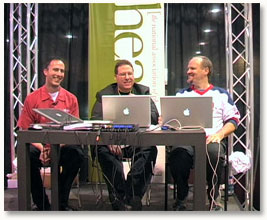

 Photoshop gurus David Blatner and Conrad Chavez are the authors of the book Adobe Photoshop CS/CS2 Breakthroughs.